CanopyOps.
From quote to crew.
A tree-care job needs more than a date on the calendar. CanopyOps brings the customer, estimate, site details, crew and invoice into one operations workspace.
Look inside the build ↓- Built around
- A tree-care team’s office and field work
- Workspace
- Customers, estimates, jobs, crews, schedules and invoices
- Current stage
- Development build · fictional demo records
Less chasing. More context.
Which quote did they accept?
The scope is in a reply. The job sheet has the earlier version.
Did the crew get the note?
The access instructions are in a separate conversation.
Can we invoice this yet?
The office still needs to check whether the work is done.
Illustrative scenario · fictional work, familiar handoffs.
The office has the plan.
The crew has what matters.
Site notes, the day’s work and the next step. See how a crew lead can pick up the same job, then hand it back when it’s done.
Work in progressThe office and crew are looking at the same job.
Storm cleanup
Grace Li · Storm-damaged ash
232 Rosedale Valley RoadNorth York, ON
Make the storm-damaged tree safe and remove fallen limbs from the property.
- Getting on site
- Driveway access available. Protect lawn with mats.
- Before you start
- Service line near east canopy. Maintain required clearance.
Vermeer BC1000XL chipper
The office will see the completion and your note.
Storm cleanup
Grace Li·Storm-damaged ash
- Customer
- GLGrace Li
- Property
- 232 Rosedale Valley RoadNorth York, ON
Make the storm-damaged tree safe and remove fallen limbs from the property.
Site accessDriveway access available. Protect lawn with mats.
Heads-up for the crewService line near east canopy. Maintain required clearance.
South crew
Maya Chen · Crew lead
When the crew finishes, the office can prepare the invoice.
Ready when the work is done.
Complete the job, then create a draft from the accepted estimate.
| Description | Amount |
|---|---|
| Make storm-damaged tree safe and remove fallen limbs from property.1 service · JOB-1065 | $1,842.40 |
- Subtotal
- $1,842.40
- HST (13%)
- $239.51
- Total CAD
- $2,081.91
- Balance remaining
- $0.00
Same customer. Same scope. Carried over from the estimate.
Preview only. No invoice has been created.
Original build captures
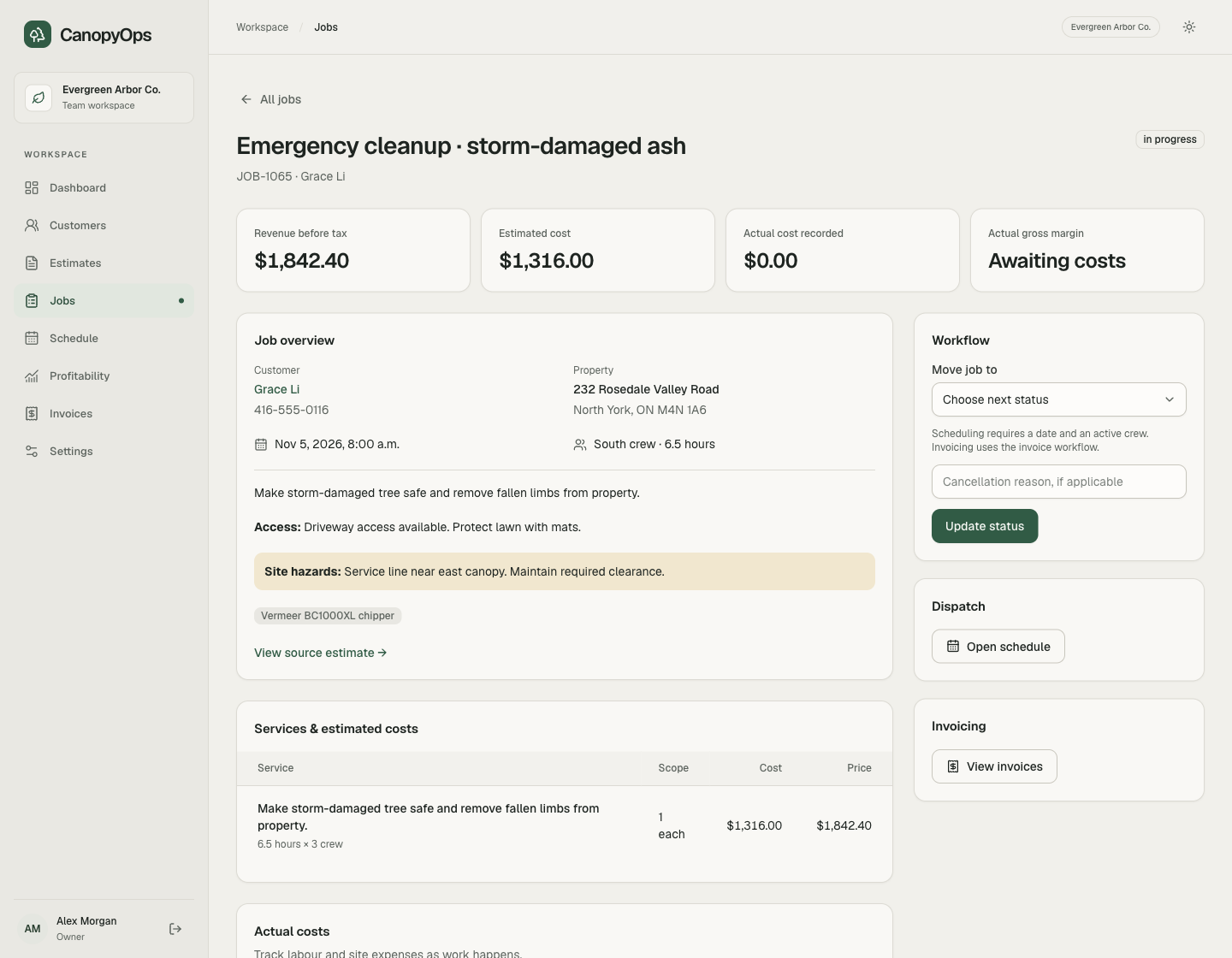
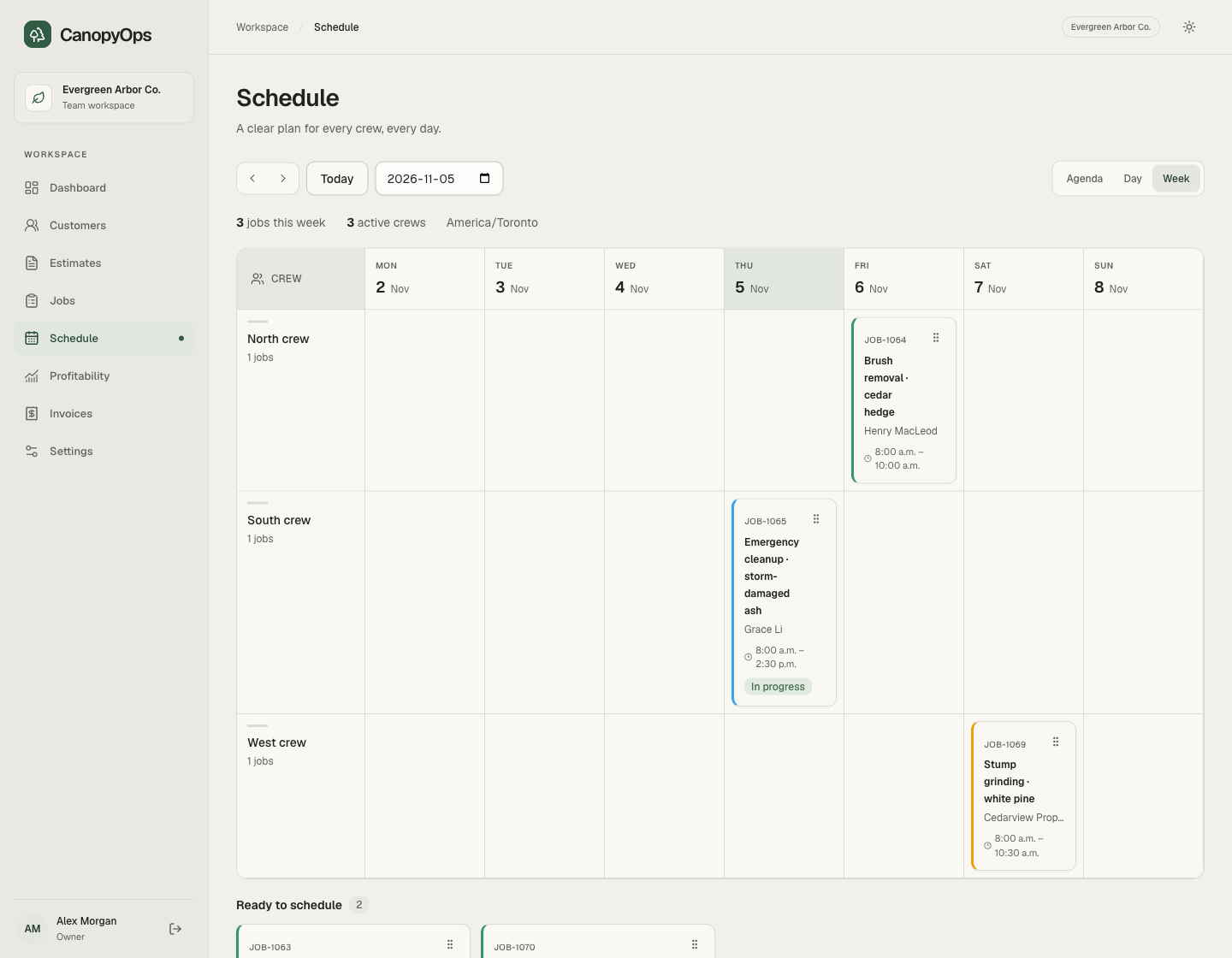
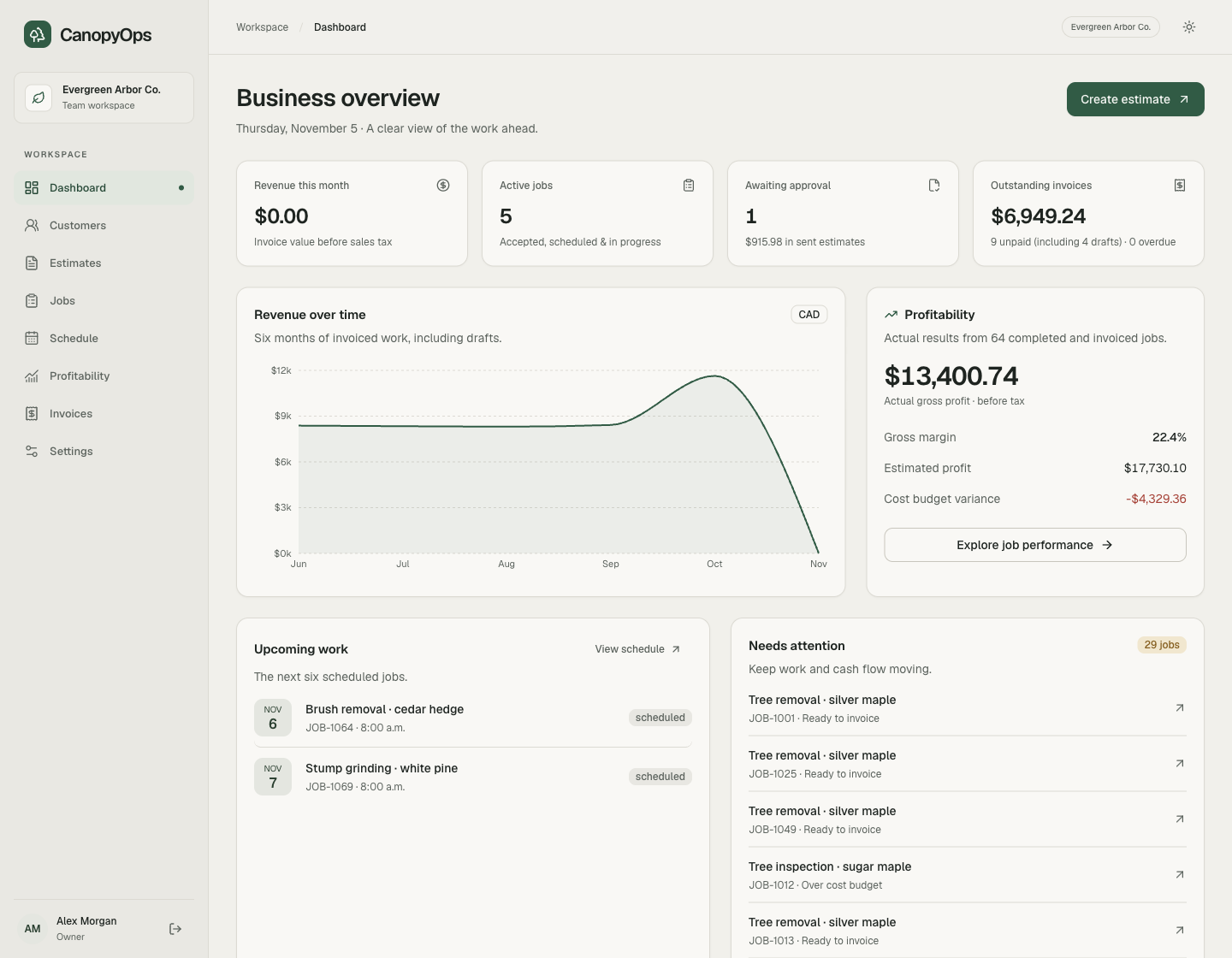
The office plans it.
The crew needs the details.
Which jobs are ready to schedule? Who is going to site? What equipment and access notes do they need? And when the job is finished, what still needs invoicing?
CanopyOps connects those questions to the same job record. The estimate carries the scope and expected costs. Scheduling gives the job a date and crew. Site notes and recorded costs stay with the work.
What is in the build?
Customer records, estimates, a job pipeline, crew scheduling, job details, invoicing and profitability views. The interactive demo follows records and workflows from the development build. Changes stay in this browser session. You can also open the original build captures below the demo.
What can an owner see?
Upcoming jobs, estimates waiting for approval, outstanding invoices and job costs. Profitability is calculated from the figures recorded in the workspace. All figures shown here are fictional demo data.
Where does AI fit?
This example shows the operations software: connected records, scheduling and workflow. AI assistance is not demonstrated in this build. In MortgageFlow, you can explore Mira’s suggestions and the broker’s approval step.
Explore Mira in MortgageFlow ↗What makes it specific to the team?
The job carries the details a tree-care crew needs: site access, hazards, equipment and estimated crew hours. Those records connect to the office’s estimate, dispatch and invoicing work.